



View your branch's scans
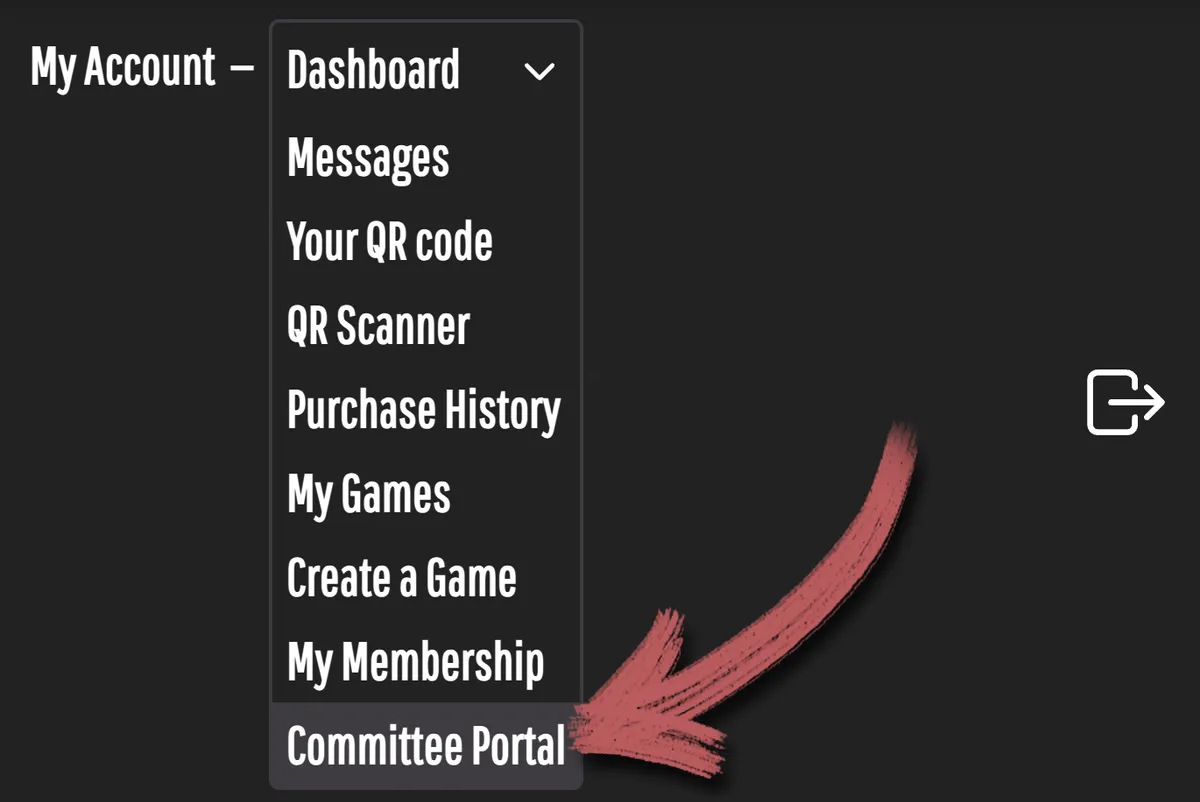
Committee Members can view their own branch's scan logs. It's really easy to filter out all other branches so you can keep track of of your own branch's attendance.
1. Log in to your "My account" on the Role Play Haven website.
2. From the menu, choose "Committee Portal".
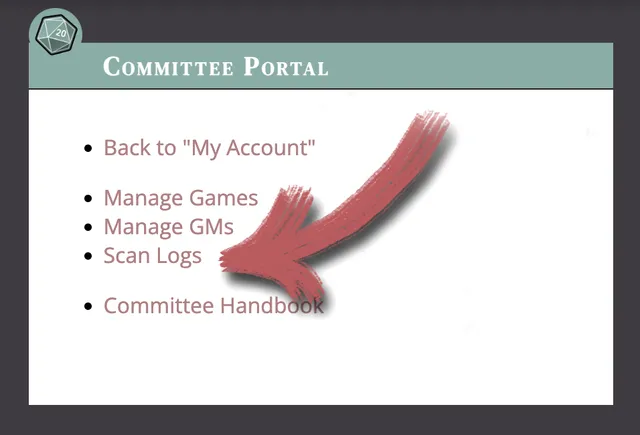
3. Then click on "Scan Logs". After a few second a list of scans will be generated and displayed below your own branch's name.
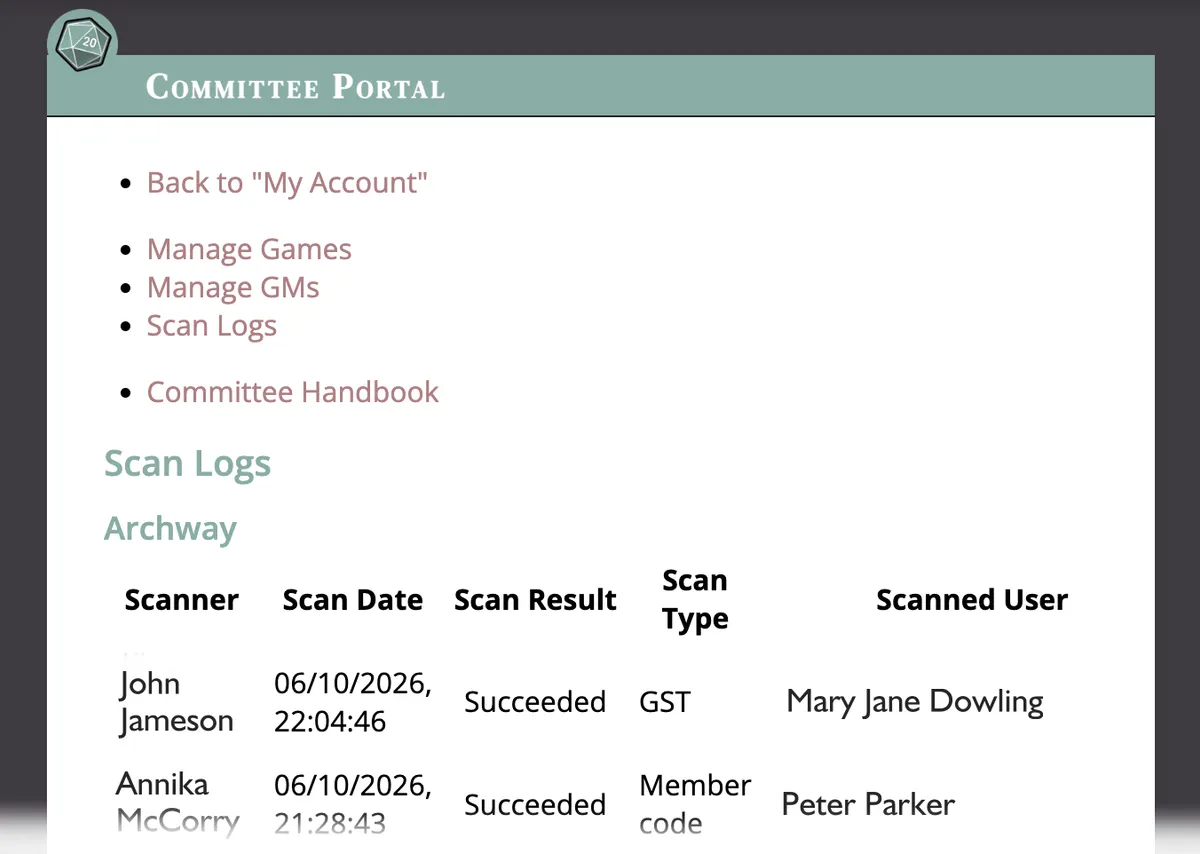
You can see who did the scanning – the date – whether it was scanned from the Member's QR code or from their Game Session Token (GST) – and the Member's name.