

It can be difficult for GMs and Games Coordinators to identify players and match them up with their Discord account so they can be invited into conversations about their game. It can take a lot of guesswork and enquiries.
But if the Player and the Committee Member have both linked their Role Play Haven accounts to their Discord accounts, then they can be traced and matched to their game instantly.
From a desktop or laptop
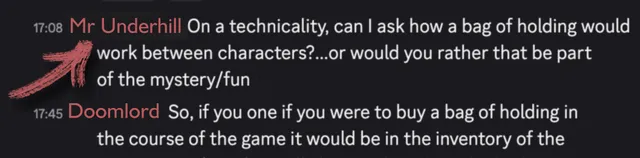
1. Open up Discord and find the Member's Avatar / Username in a conversation. Right click on their name.
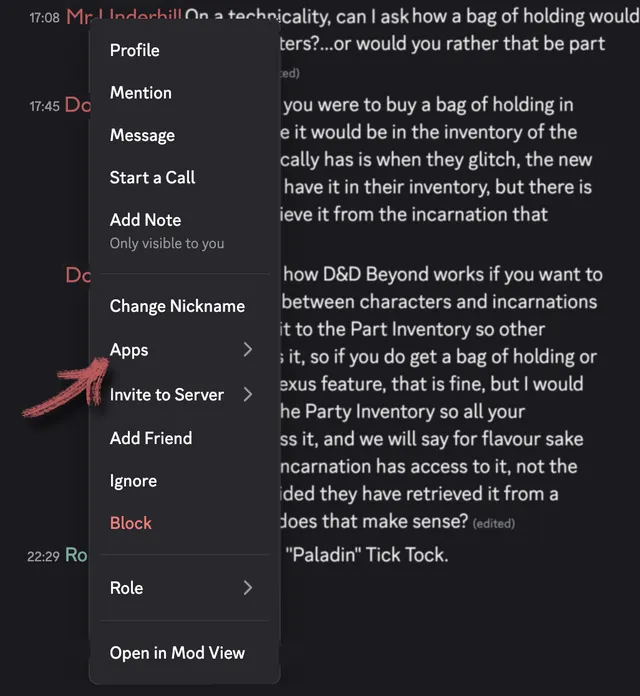
2. From the menu click on "Apps".
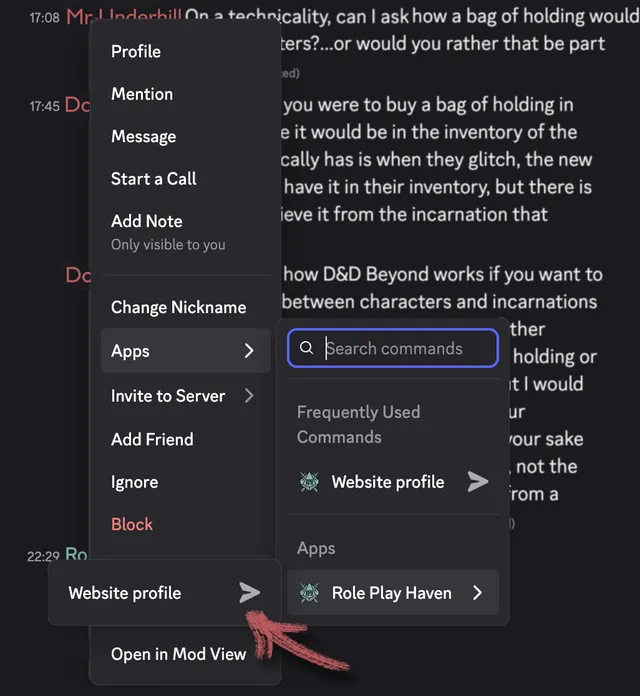
3. On the side menu, beside "Role Play Haven", click on "Website profile".
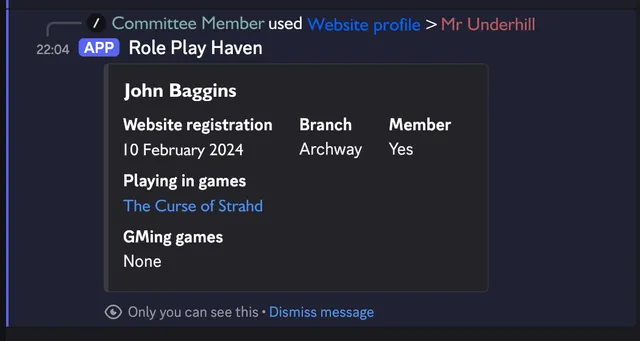
4. You will see the real name of the Member, their Membership status, their branch and any game that they are playing or running.
From a mobile phone
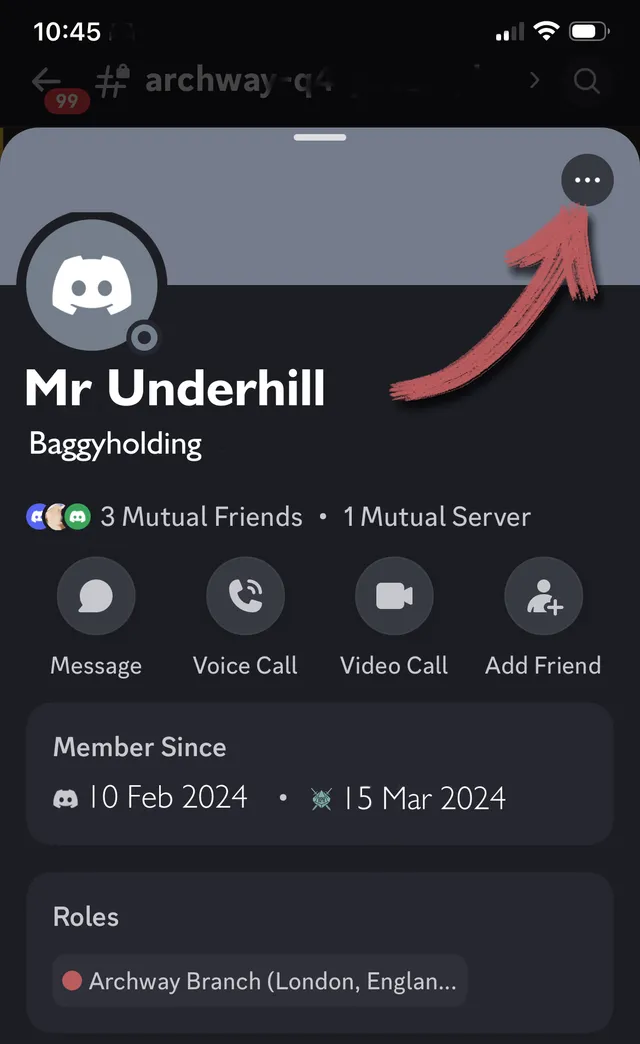
1. Open up Discord and find the Member's Avatar / Username in a conversation. Click on their name.
2. Tap the three tiny dots in the top right corner.
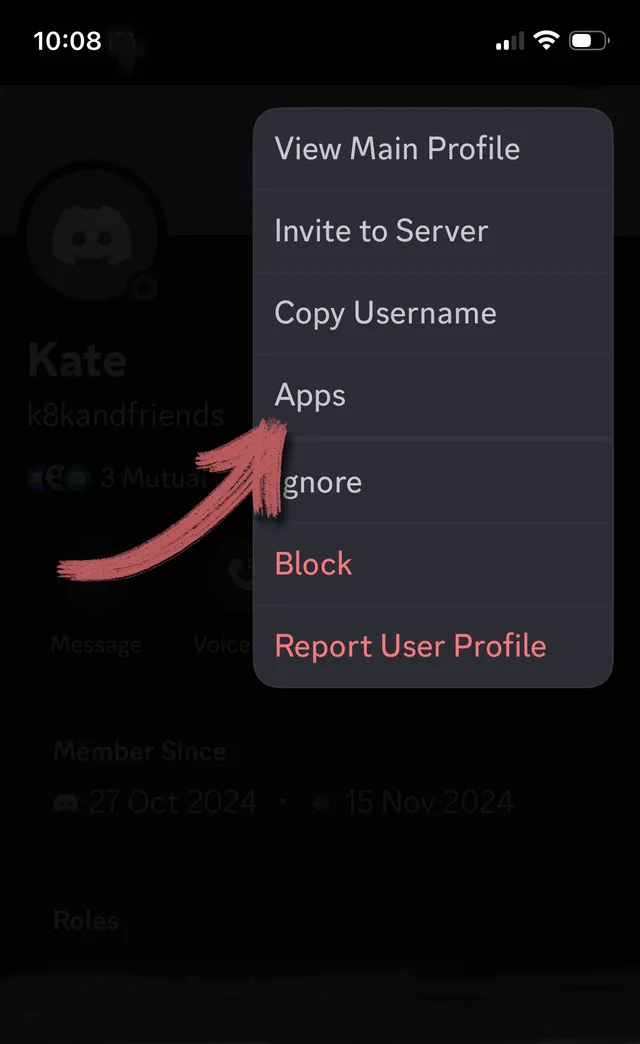
3. Tap "Apps".
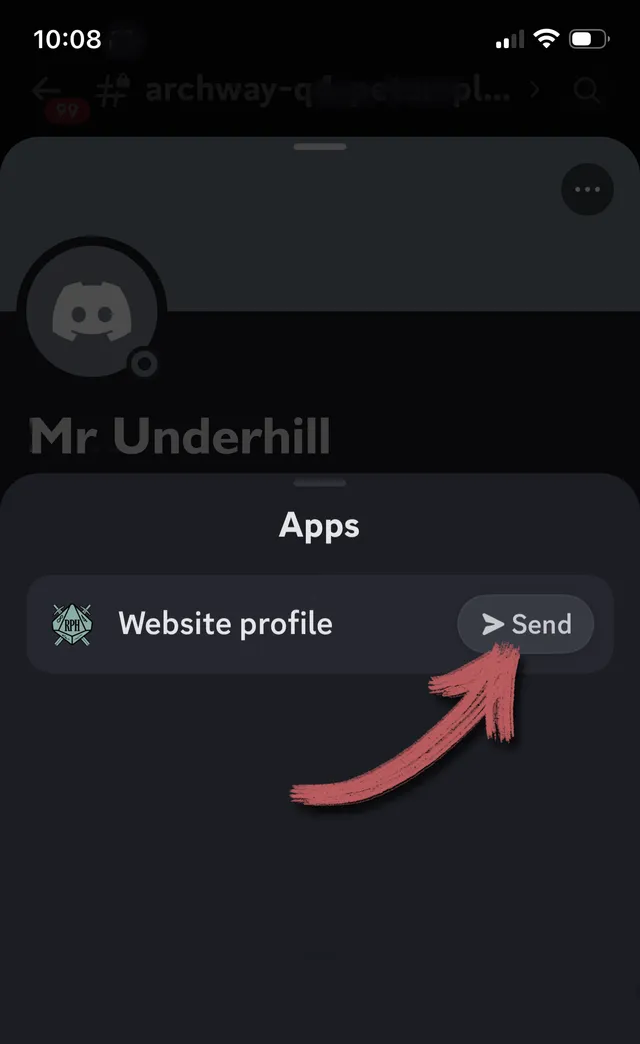
4. From "Role Play Haven" tap "Website profile" to see the real name of the Member, their Membership status, their branch and any game that they are playing or running.
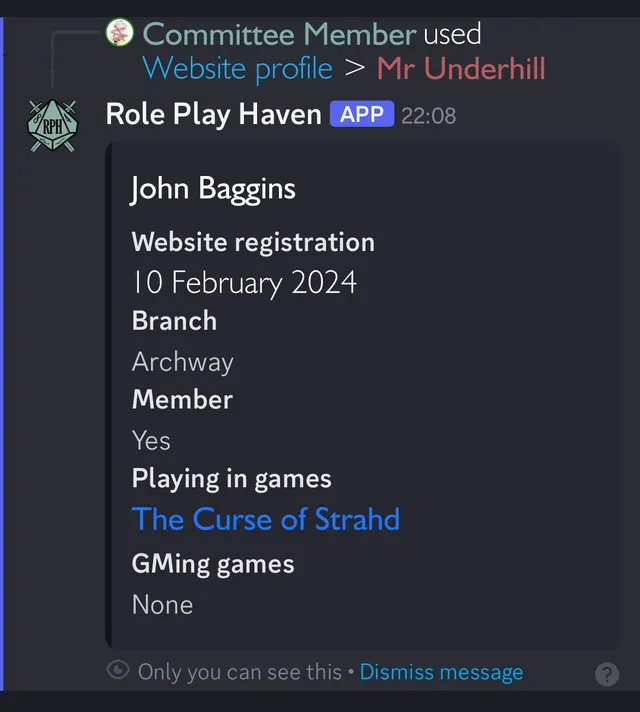
This will "Send" the information to your screen. You can use this information to see what game they are playing and invite them into game chat channels on Discord.